
Migrations
A Seamless, End-to-End Migration Journey
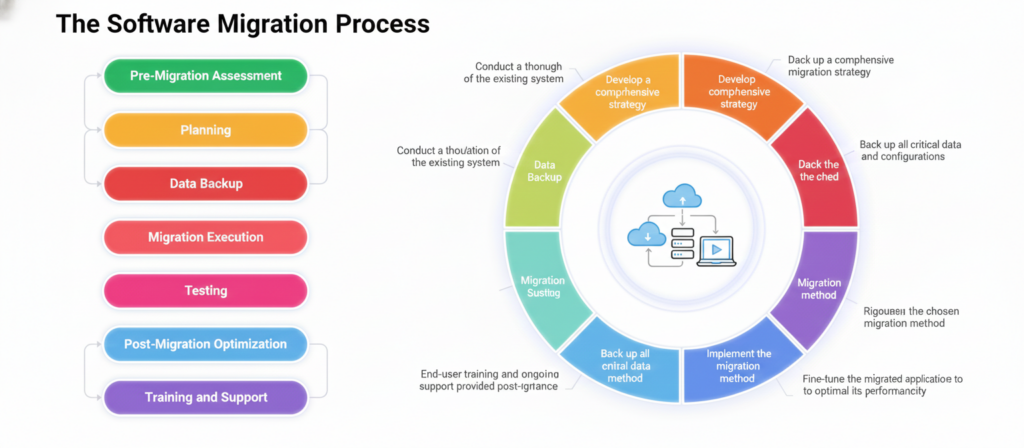
1. Plan with Clarity
We begin by analyzing current systems, identifying objectives, and defining a detailed migration roadmap with scope, timelines, and responsibilities.
2. Assess & Choose the Right Strategy
We review your applications, dependencies, and risks, and then select the most suitable migration approach such as rehosting, replatforming, refactoring, or hybrid, while preparing the target architecture.
3. Execute & Validate
Applications, data, and services are migrated securely with minimal disruption, followed by thorough testing and validation to ensure performance, functionality, and security meet expectations.
4. Optimize & Support
After go-live, we continue to monitor and fine-tune the environment, provide user training, and gather feedback to ensure long-term stability, adoption, and business value.
Our Migration Support Model
Ongoing support and maintenance are crucial to address any unforeseen challenges and to optimize performance continuously. A dedicated support team, often available 24/7, provides the necessary expertise and assistance, ensuring that all migration-related concerns are promptly and effectively managed. This holistic approach not only mitigates risks but also ensures that the migration process is as seamless and disruption-free as possible
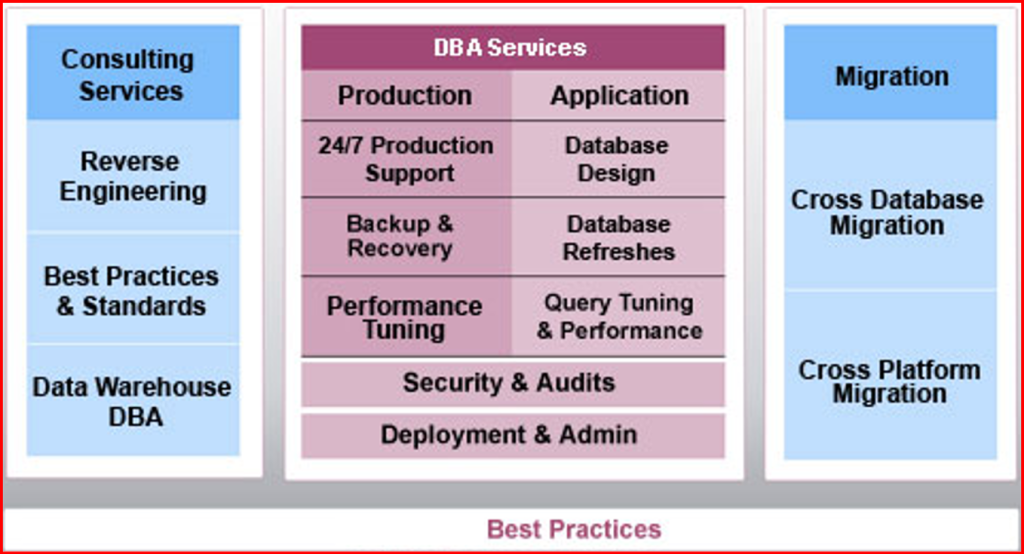
Our expertise in Migration
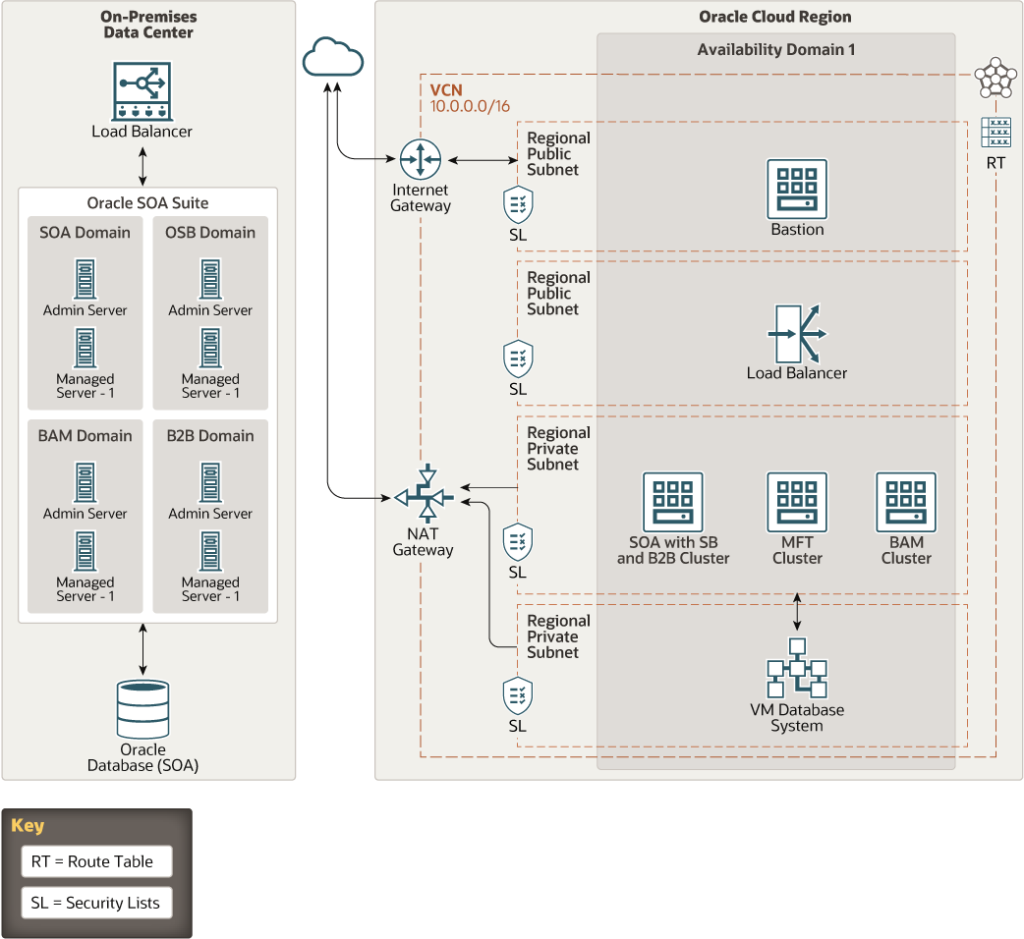
OnPrem Legacy to Cloud
Business Challenge
- Integrations were written in legacy application more than 15 years ago, no support for the tool from vendor
- As this is written in long back, data models used are so complex and standards used are not up to date
- Tracking, Trackability of any transactions is limited
- Any changes required cant be developed as tool requires old browser and IDE is also not updated
Solution Provided
- Used Apache Camel K which is nextgen and light weight integration tool and can run on K8s platform
- For Scheduling used AirFlow as Client wants all scheduling to be tracked separately.
- Kibana used for logging and tracing purpose – dashboards & alerts are created on Kibana
- Apache Kafka is used for messaging purpose
Business Benefit
- Significantly expanded IT’s ability to support customer transactions digitally
- Significantly reduced the costing as Apache Camel K is open source
- Automated back-office processes associated with services, as we moved towards nextgen technology
- 100% uptime with Autoscaling feature of Camel K
Migration Solutions
Industry: Retail
Application Type: Cloud
Application Language: Java
Number of Programs or Lines of Code: Per integration around 100 – 1000 based on Data Model Complexity
Source Database: Oracle
Target Database: MSSQL
Application Name: Oracle EBS (Oracle E-Business Suite, similar to ERP)
The application is to maintain GDW (Global Data Warehouse) for all organization data.
Neo4J to Mongo DB
Industry: Design & Integrations
Application Type: Client Server
Application Language: Java
Number of Programs or Lines of Code: Approximately 30+ programs including DB Schemas
Source Database: Neo4J
Target Database: Mongo DB
Application Name: Custom Application
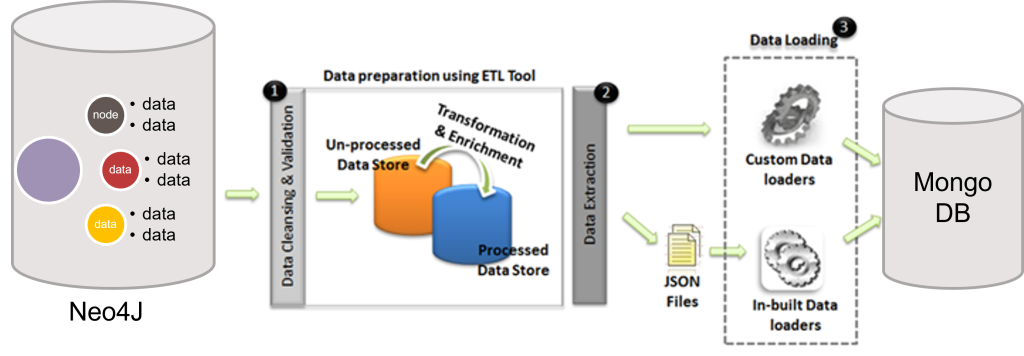
Migrating from Neo4j to MongoDB involves transitioning from a graph-based database to a document-oriented NoSQL database. This process includes mapping nodes and relationships from Neo4j to MongoDB documents and collections. The migration aims to leverage MongoDB’s scalability and flexibility for handling complex queries and large datasets. Key steps include data extraction from Neo4j, transformation into JSON format, and loading into MongoDB. This migration enhances performance and supports a wider range of data operations, ensuring efficient storage and retrieval of hierarchical data structures.
SAP Sybase ASE to PostgreSQL (Cloud)
Industry: Design & Integrations
Application Type: On-prem to Cloud
Application Language: Java
Number of Programs or Lines of Code: Approximately 40+ programs including DB Schemas
Source Database: Sybase
Target Database: PostgreSQL
Application Name: SAP
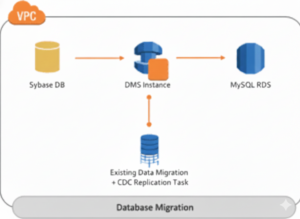
Migrating from SAP Sybase ASE to PostgreSQL involves transitioning from a proprietary relational database to an open-source alternative known for its robustness and advanced features. The process includes schema conversion, data migration, and application code modifications to ensure compatibility. Tools like pgAdmin and custom scripts facilitate the data transfer and schema adjustments. This migration aims to reduce licensing costs, improve performance, and enhance scalability, while benefiting from PostgreSQL’s active community support and extensive feature set.
Alfresco to Liferay Application
Industry: Design & Integrations
Application Type: 3-tire
Application Language: Java
Number of Programs or Lines of Code: Approximately 40+ programs including DB Schemas
Source Database: Oracle
Target Database: MySQL
Application Name: Alfresco & Liferay
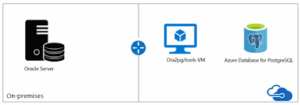
Migrating from Alfresco to Liferay involves moving from a content management system to a comprehensive digital experience platform. Concurrently, transitioning from Oracle to MySQL entails shifting from a commercial database to an open-source relational database. This dual migration includes data extraction from Alfresco and Oracle, transformation into formats compatible with Liferay and MySQL, and loading into the new systems. The process improves cost-efficiency, enhances platform capabilities, and ensures seamless content management and collaboration. The migration leverages Liferay’s modularity and MySQL’s ease of use and reliability.
Frequently Asked Questions
To ensure the security of your data during migration: Use encrypted connections for data transfer. Employ robust authentication methods. Regularly update security protocols and software. Perform vulnerability assessments and penetration testing. Work with trusted and experienced migration service providers who adhere to industry best practices.
The duration of the migration process varies depending on the complexity and volume of the data and applications being moved. Simple migrations can take a few hours to a few days, while more complex migrations may take several weeks or even months. Proper planning and resource allocation can help streamline the process and minimize downtime.
Common challenges include data loss, downtime, compatibility issues, and security concerns. These can be mitigated by thorough planning, performing regular backups, conducting detailed testing, and using reliable migration tools. Engaging experienced migration specialists can also help navigate these challenges effectively.
Virtually any type of data and application can be migrated, including databases, files, enterprise applications (such as CRM and ERP systems), web applications, email systems, and virtual machines. The specific approach and tools used may vary depending on the type and complexity of the data and applications being migrated, as well as the source and target environments.
The costs of data/application migration can vary widely based on factors such as the size and complexity of the data, the type of applications being moved, the migration approach and tools used, and the specific requirements of the project. Costs may include expenses for planning and assessment, data transfer, downtime, post-migration testing and optimization, and ongoing support. It’s essential to work with a migration provider to get a detailed cost estimate tailored to your specific needs.